---
updatedAt: 2026-01-28T10:25:34.000Z
---
Fetch the complete documentation index at: https://docs.claspo.io/llms.txt. Use this file to discover all available pages before exploring further. Append .md to any documentation page URL to get its markdown version.
# Contact fields mapping configuration
Describes how to configure contact field mapping options for the Claspo Editor.
## Overview
Contact fields mapping allows users to connect form fields with their contact management system. When properly configured, the editor provides a UI for mapping form inputs to contact database fields.
## UI Representation
The contact mapping functionality will appear in the editor as dropdown options when user drops new control to the Editor. Form fields can be mapped to contact fields
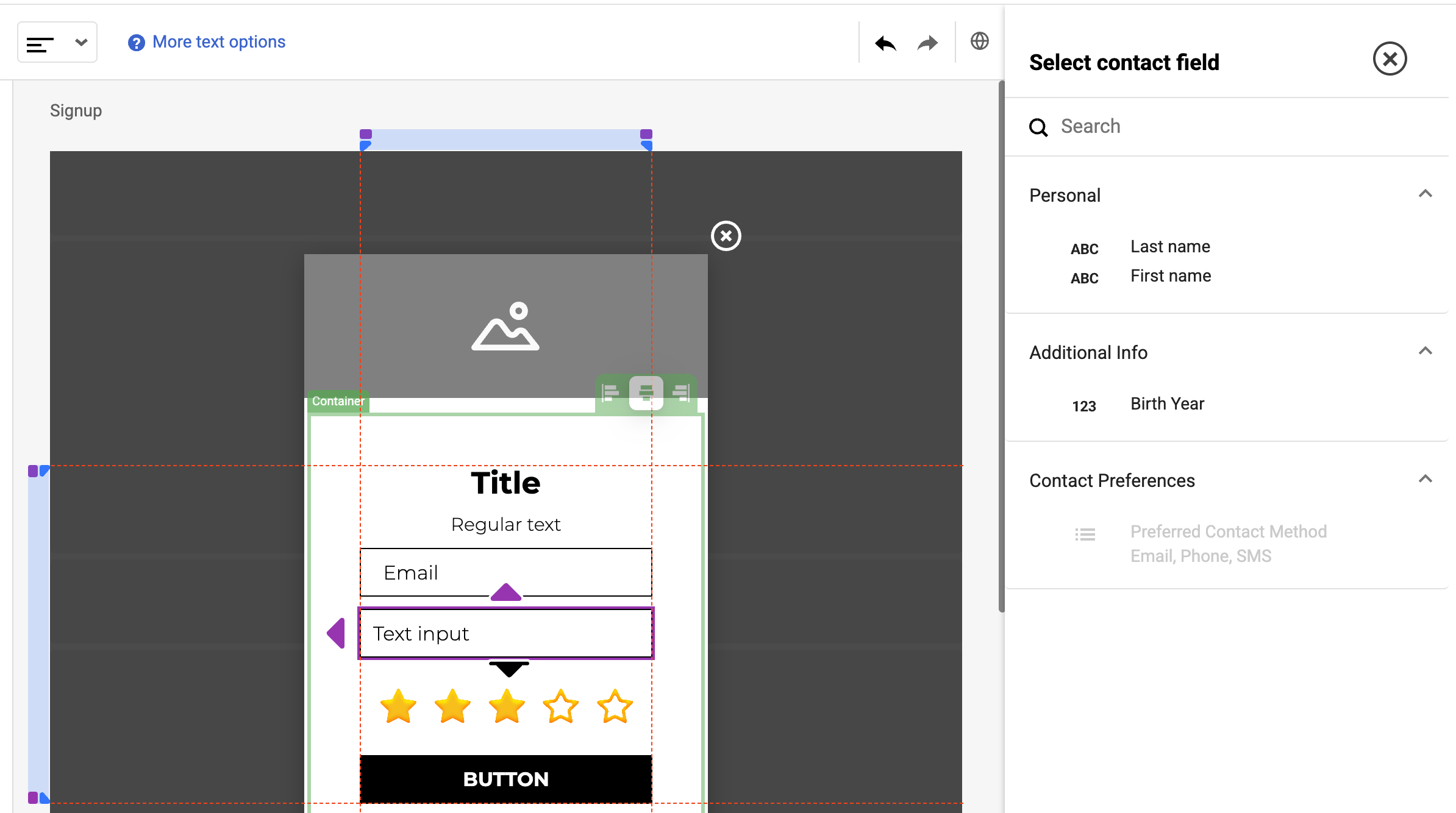
The groups specified in the `group` property will be displayed as collapsible sections in the UI, allowing for organized selection of fields.
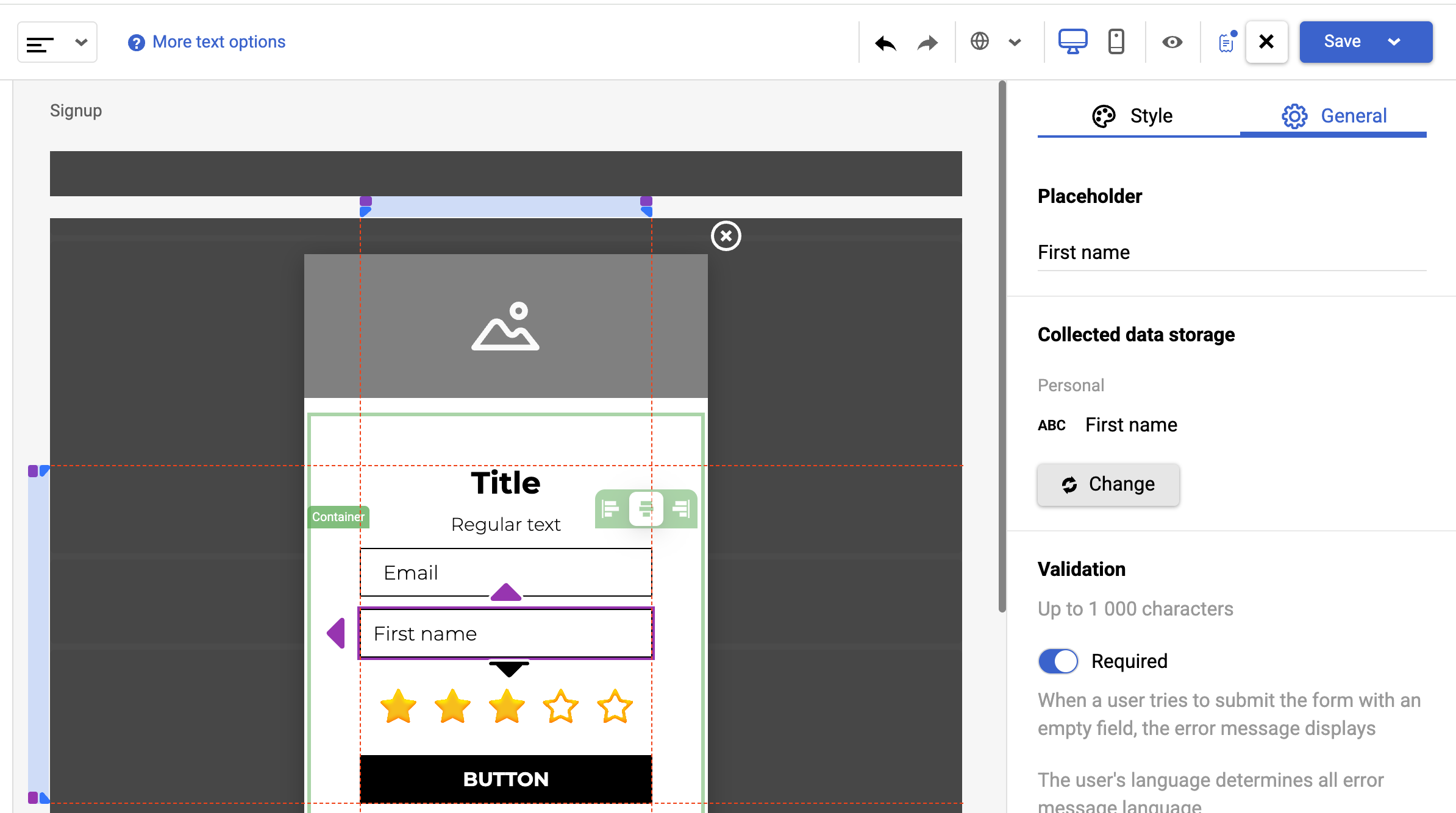
Field's `name` property will appear as input placeholder (if applicable to component) at the editor. A key of `id` property will be written to the `CONTACT_DATA_SUBMIT` event on the script side
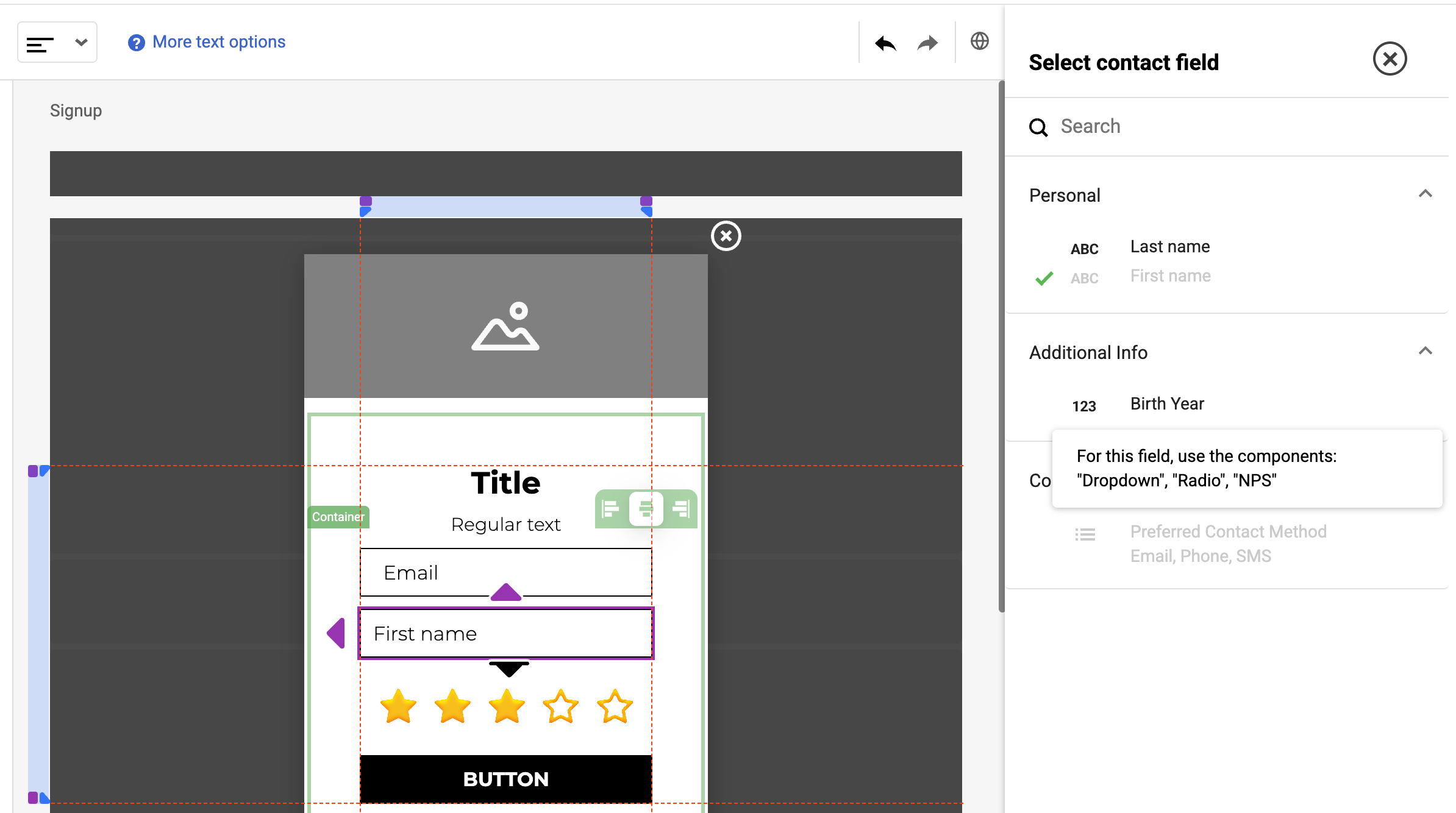
If the field type is not matched with the control type then it will be disabled from the selection.
## Configuration Requirements
To enable contact fields functionality in the editor:
1. Set `useContactFields: true` in the main editor configuration [Editor Configuration](/docs/editor-configuration)
2. Implement the required contact mapping API methods [Editor HTTP API Configuration](/docs/http-api)
## API Methods
The following methods need to be implemented in your `AppApiConfigI` implementation:
### getContactMappingOptions
This method should return a list of available contact fields that users can map their form fields to.
```typescript
getContactMappingOptions: () => Promise
```
#### ContactMappingOptionI Interface
```typescript
interface ContactMappingOptionI {
name: string; // Unique identifier. A key of the form that will be written to the `CONTACT_DATA_SUBMIT` event on the script side
label: string; // Display (placeholder) name at the editor
group: string | null; // Group name the field belongs to, on the UI groups are collapsed menu
type?: ContactMappingOptionType; // Field type
values?: string[]; // Possible values for select type
options?: ContactMappingOptionLimitsI; // Configuration options
validation?: ClInputComponentControlValidationI;
}
```
#### ContactMappingOptionType Enum
```typescript
enum ContactMappingOptionType {
TEXT = 'text',
SELECT = 'select',
CHECKBOX = 'checkbox',
TEXT_AREA = 'textarea',
NUMBER = 'number',
DATE = 'date',
DATE_TIME = 'datetime',
BOOL = 'bool',
DECIMAL = 'decimal',
UNKNOWN = 'unknown'
}
```
####
```typescript
interface ClInputComponentControlValidationI {
required: boolean;
validator: string | null;
validationErrors: { [index: string]: string };
}
```
## Example
```typescript
import { AppConfigI } from '@claspo-editor';
// Step 1: Define your contact mapping service
export class ContactMappingService {
// Get available contact mapping options
getContactMappingOptions(): Promise {
// Fetch from your API or use static data
return Promise.resolve([
{
"name": "last_name",
"label": "Last name",
"group": "MAIN",
"type": "text",
"values": []
},
{
"name": "first_name",
"label": "First name",
"group": "MAIN",
"type": "text",
"values": []
},
{
"name": "birth_year",
"label": "Birth Year",
"group": "Additional Info",
"type": "number",
"values": []
},
{
"name": "preferred_contact_method",
"label": "Preferred Contact Method",
"group": "Contact Preferences",
"type": "select",
"values": [
"Email",
"Phone",
"SMS"
]
}
]);
}
// Optional methods for creating custom fields
getContactFieldGroups() {
return Promise.resolve([]);
}
createContactFieldsGroup(params) {
return Promise.resolve({});
}
createContactField(params) {
return Promise.resolve({});
}
}
// Step 2: Create service instance
const contactMappingService = new ContactMappingService();
// Step 3: Configure the editor with contact fields support
const editorConfig: AppConfigI = {
containerElement: document.getElementById('editor-container'),
countryCode: 'US',
staticResourcesUrl: 'https://static.example.com',
editorScriptsUrl: 'https://cdn.claspo.tech/demo/editor',
// Enable contact fields
useContactFields: true,
// Configure API
api: {
// Contact mapping operations
getContactMappingOptions: contactMappingService.getContactMappingOptions,
// Other required API methods
// ...
}
};
// Step 4: Initialize the editor
initEditor(editorConfig);
```
## Testing Contact Fields Mapping
To test your implementation:
1. Configure the editor with `useContactFields: true`
2. Implement the required contact mapping API methods
3. Open editor and drop input component
4. Verify that your contact fields appear in the mapping dropdown
5. Map fields to contact fields
6. On the script side, fill the form and verify that the correct data is sent to your contact system